
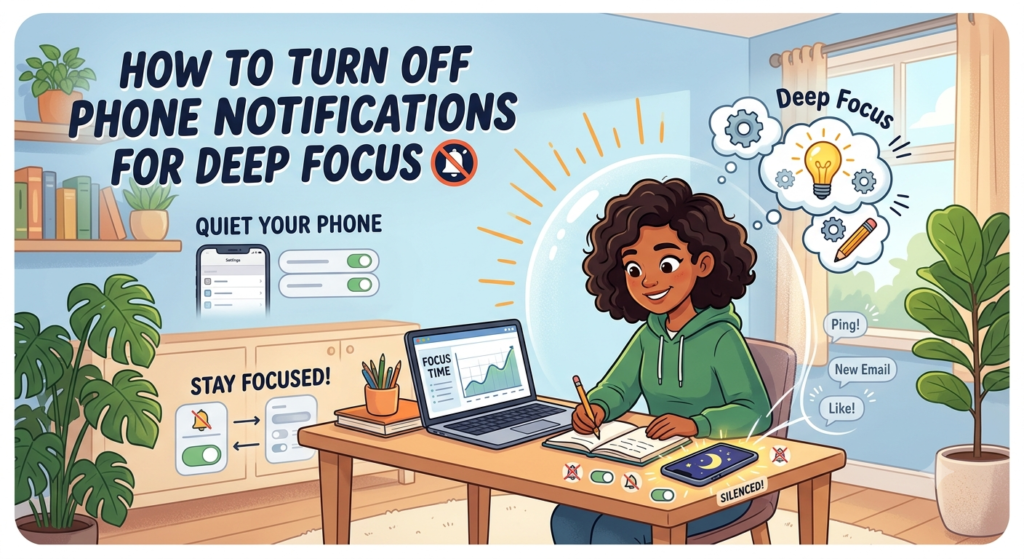
How to Turn Off Phone Notifications for Deep Focus — Complete 2026 Guide
Praveen yahan phir se, aur aaj ek bahut hi practical topic lekar aaya hoon. Pichhle post mein humne Phone Addiction Test liya tha, aur agar aapka score thoda high aaya tha, toh sabse pehla aur sabse asaan fix yehi hai — notifications ko control karna.
Sochiye zara — aap padhai kar rahe ho ya kaam, aur achanak “ting” ki awaaz aati hai. Aapne bas ek second ke liye dekha… aur 20 minute baad aap kisi cousin ke Instagram reel dekh rahe ho. Sunte hain? Yeh koi weakness nahi hai — yeh design hai. Aaj hum isko permanently fix karenge.
Table of Contents
Notifications Itni Problem Kyun Hain?
Ek chhota fact jo shayad aapko surprising lage: notification aane se pehle hi aapka brain distract ho jaata hai. Ek famous productivity experiment mein researcher ne apne saare notifications ek mahine ke liye ON kar diye the — result yeh nikla ki sirf ek hafte ke andar unhe bina notification ke bhi baar-baar phone check karne ki aadat pad gayi thi. Matlab notification sirf ek trigger nahi hai, yeh ek habit loop create kar deta hai jo notification ke bina bhi chalta rehta hai.
Yeh bilkul waisa hi hai jaise koi bar-bar darwaza khatkhata raha ho jab aap padh rahe ho — chahe woh important ho ya na ho, dimag ka ek hissa hamesha “kya hai?” sochta rehta hai.
Research Kya Kehti Hai about How to Turn Off Phone Notifications
- Notifications sirf apna reading/kaam disrupt nahi karte — unhe process karne ke baad wapas usi focus level tak pahunchne mein kaafi time lagta hai. Isko “attention residue” kehte hain.
- Apple aur Android dono ne isi problem ko solve karne ke liye “Focus Mode” aur “Digital Wellbeing” jaise built-in features banaye hain, jisse pata chalta hai ki yeh koi chhota issue nahi, balki industry-recognized problem hai.
- Bad habits sirf 2-3 hafton mein ban sakti hain — isliye jitni jaldi control lo, utna asaan hota hai.
Android Par Notifications Off Karne Ka Tarika
- Settings > Notifications mein jao
- Har app ki list dikhegi — un apps ko dhoondo jo sabse zyada distract karte hain (Instagram, Facebook, games, news apps)
- Un par tap karke “Show notifications” off kar do
- Zaroori apps (Phone, WhatsApp calls, banking apps) ko as it is rehne do
- Digital Wellbeing app kholo (zyadatar phones mein pre-installed hota hai) — yahan se “Focus Mode” schedule kar sakte ho, jisme selected apps ek specific time ke liye automatically band ho jaate hain
iPhone Par Notifications Off Karne Ka Tarika
- Settings > Notifications mein jao, har app individually adjust kar sakte ho
- Ya phir Settings > Focus mein jao — yahan “Work”, “Personal”, ya custom Focus profile bana sakte ho
- Focus mode mein decide karo kaunse specific log aur apps se notification allow karna hai, baaki sab silence ho jaayega
- Apple ka intelligent system important notifications ko allow kar sakta hai aur baaki ko automatically filter kar sakta hai, taaki emergency miss na ho
Smart Strategy — Sab Kuch Band Mat Karo
Yahan ek common mistake log karte hain — sab kuch ek saath band kar dete hain, phir 2 din baad frustration mein sab wapas on kar dete hain. Uske bajaye yeh 3-tier system try karo:
- Tier 1 (Hamesha ON): Phone calls, family WhatsApp, banking/OTP alerts
- Tier 2 (Sirf specific time pe ON): Work-related apps, email
- Tier 3 (Off ya sirf app khol ke check karo): Instagram, Facebook, YouTube, games, news apps
Isse aapko lagega nahi ki “duniya se kat gaye,” bas noise kam ho jaayega. How to Turn Off Phone Notifications
WhatsApp Groups Ka Special Case
Har Indian ki life mein yeh problem common hai — 15 family WhatsApp groups, sabme “Good Morning” stickers, aur phone continuously buzz karta rehta hai. Fix simple hai:
- Group open karo
- Group name > Mute Notifications > “Always”
- Zaroorat ho toh din mein ek baar khud check kar lo, notification ka wait mat karo
Yeh ek chhota step hai lekin peace of mind mein bahut bada farak laata hai.
Mera khud ka Personal Setup
Maine apna phone is tarah set kiya hai — subah 9 se sham 6 tak sirf calls aur banking alerts allow hain, baaki sab silent. Pehle 2-3 din thoda ajeeb laga tha (baar baar phone uthake dekhta tha ki kuch aaya kya), lekin ek hafte ke baad woh urge khud hi kam ho gayi. Ab main WhatsApp aur Instagram din mein sirf 2 fixed times pe check karta hoon — lunch break aur raat ko. Isse mera Digital Detox for Students wala advice khud follow karna bhi kaafi asaan ho gaya.
Agar aap already How to Focus Without Phone wala guide follow kar rahe ho, toh notifications off karna us poori strategy ka sabse pehla aur sabse zaroori step hai.
Notification Off Karne Ke Baad Yeh Galtiyan Mat Karna
Bhai, sirf notifications off kar dena kaafi nahi hai — kayi log yahin par galti kar dete hain. Sabse badi mistake hai “Do Not Disturb” laga ke bhi baar baar khud phone check karna. Yaar, agar tu har 10 minute mein manually phone uthake dekhega ki koi notification aayi kya, toh detox ka poora matlab hi khatam ho gaya na!
Doosri common galti hai sirf social media apps ke notifications band karna, aur WhatsApp groups ko chhod dena. Sach mein, WhatsApp hi sabse zyada distraction deta hai — especially agar tu kisi 5-6 family ya friend groups mein hai. Un groups ko bhi mute karo, ya better hoga agar unhe “Archived” kar do deep work ke time.
Teesri baat — notification off karke phone ko apne saamne rakh dena. Research kehta hai ki sirf phone ka “visible” hona hi dimag ko distract karne ke liye kaafi hai, chahe notification aaye ya na aaye. Isliye phone ko dusre room mein rakho, ya kam se kam drawer mein daal do jab deep focus chahiye ho.
Aur last mein — weekend pe bhi yeh rule follow karna bhool jaana. Bahut log weekdays mein toh discipline rakhte hain, lekin Saturday-Sunday aate hi phone unlimited use karna shuru kar dete hain. Isse dimag phir se old habits pe wapas chala jaata hai. Consistency hi asli key hai, beta — chahe office ka din ho ya chutti ka.
FAQ
Q1. Agar sab notifications off kar doon toh kya main koi zaroori message miss nahi karunga? Nahi, agar aap Tier system follow karte ho — calls aur zaroori contacts hamesha allow rehte hain. Sirf non-urgent apps ki notifications hi silence hoti hain.
Q2. Kya Focus Mode/Digital Wellbeing free hai? Haan, yeh Android aur iPhone dono mein built-in free features hain, koi paid app download karne ki zaroorat nahi.
Q3. Notifications off karne ke kitne din baad farak dikhega? Zyaadatar log 3-7 din mein hi kam bechaini aur behtar focus notice karte hain. Poori habit reset hone mein 2-3 hafte lag sakte hain.
Q4. Kya yeh sirf students ke liye hai? Bilkul nahi — working professionals, parents, sabke liye equally useful hai. Jisko bhi deep focus chahiye, ussi ko yeh fayda dega.
Aaj hi apne phone ki Settings kholo aur ek app ki notification band karo — bas ek se shuru karo. Chhota step, bada farak. 💚 How to Turn Off Phone Notifications 🙂
Tags: notifications off, phone focus, digital wellbeing, deep work, Android focus mode, iPhone focus mode, digital detox India
Also Read: